I'm not sure if there is currently a way to validate the Task Comments Box; there WAS a way in the old forms designer, but I haven't been able to figure out how to read it with the new JavaScript approach.
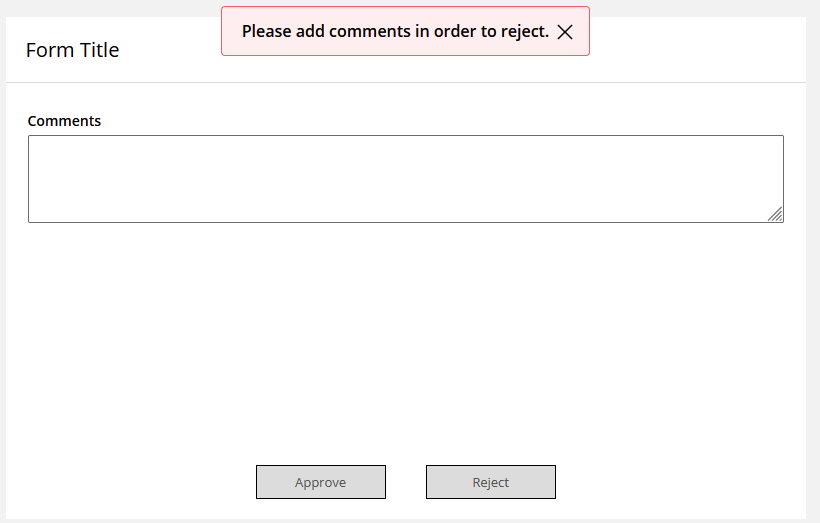
An alternate solution could be to hide the default comment box and add your own, which actually makes it easy since this is one of the example use cases in the documentation!
Documentation here, the onFormSubmission example is where I pulled the code from:
https://doc.laserfiche.com/laserfiche/en-us/content/pa-bp-build-form-scripts-lfform-events.htm
This rule hides the default box:

And this JavaScript requires a new comment box to be non-empty if "Reject" is chosen:
The only mandatory change would be to replace variableName: "Comments" with whatever your comments box variable name is.
LFForm.onFormSubmission(async function (event) {
// Get the value of the clicked submission button
const userAction = event.data.action.value;
const approvalComments = LFForm.getFieldValues({ variableName: "Comments" });
if (userAction === "Reject" && approvalComments === "") {
return {error: "Please add comments in order to reject."};
 }
});
You do get a bit of unwanted white space between the box and the buttons, but there may be a way to minimize that with some CSS.
If someone else has a way to reference the existing comments box then that would be great, but this is how I would work around the problem!