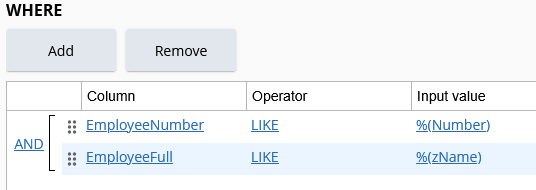
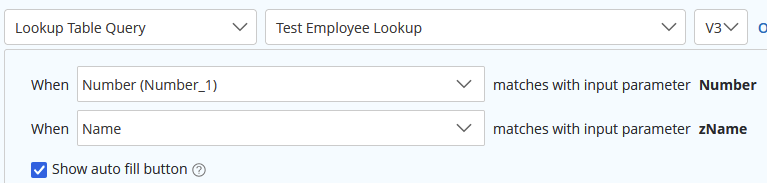
It seems like the Auto Fill button appears next to the last Lookup Rule parameter in the form editor, which is the last one in the rule alphabetically.
By setting your rule input for Street Number so its name is the last alphabetically (zStreetnumber or something), it should have the button attached to it instead.
Edit: It seems like its a little inconsistent with what will trigger it to reorder when you change the rule. When I changed my inputs from [Name,Number] to [Number,zName] they reordered as expected, but when I tried to go back from [Number,zName] to [Name,Number] they did NOT. I was able to get them to reorder when I used a "z" again, [Number,Name] to [Name,zNumber].
If you see the rule major version number change then it should have worked, (5.1.0 to 6.1.0, for example). If only the minor number changes then it probably did not.
My test below
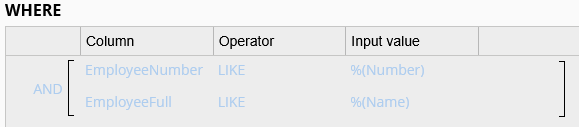
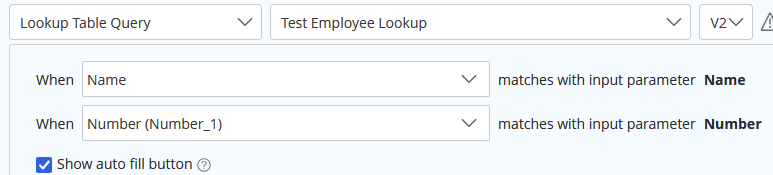
In this rule, even though my Number parameter is first, it gets sorted to the end in the forms designer:

But by renaming the Name input so it comes after Number alphabetically, it switches the order: